
For years, the answer to poor WiFi was simple.
Move closer to the router.
That only gets you so far.
Modern homes are bigger, busier and more connected than ever before. Yet many of us are still relying on a single router to provide coverage everywhere, from the loft conversion to the garden office.
It's asking a lot.
Mesh WiFi helps bring strong WiFi to more of your home.
By using multiple nodes instead of a single router, it helps create a blanket of coverage, keeping devices connected to a stronger signal wherever they are.
In this guide, we'll cover how mesh WiFi works, its biggest benefits and whether it's worth making the switch.
How Does Mesh WiFi Work?
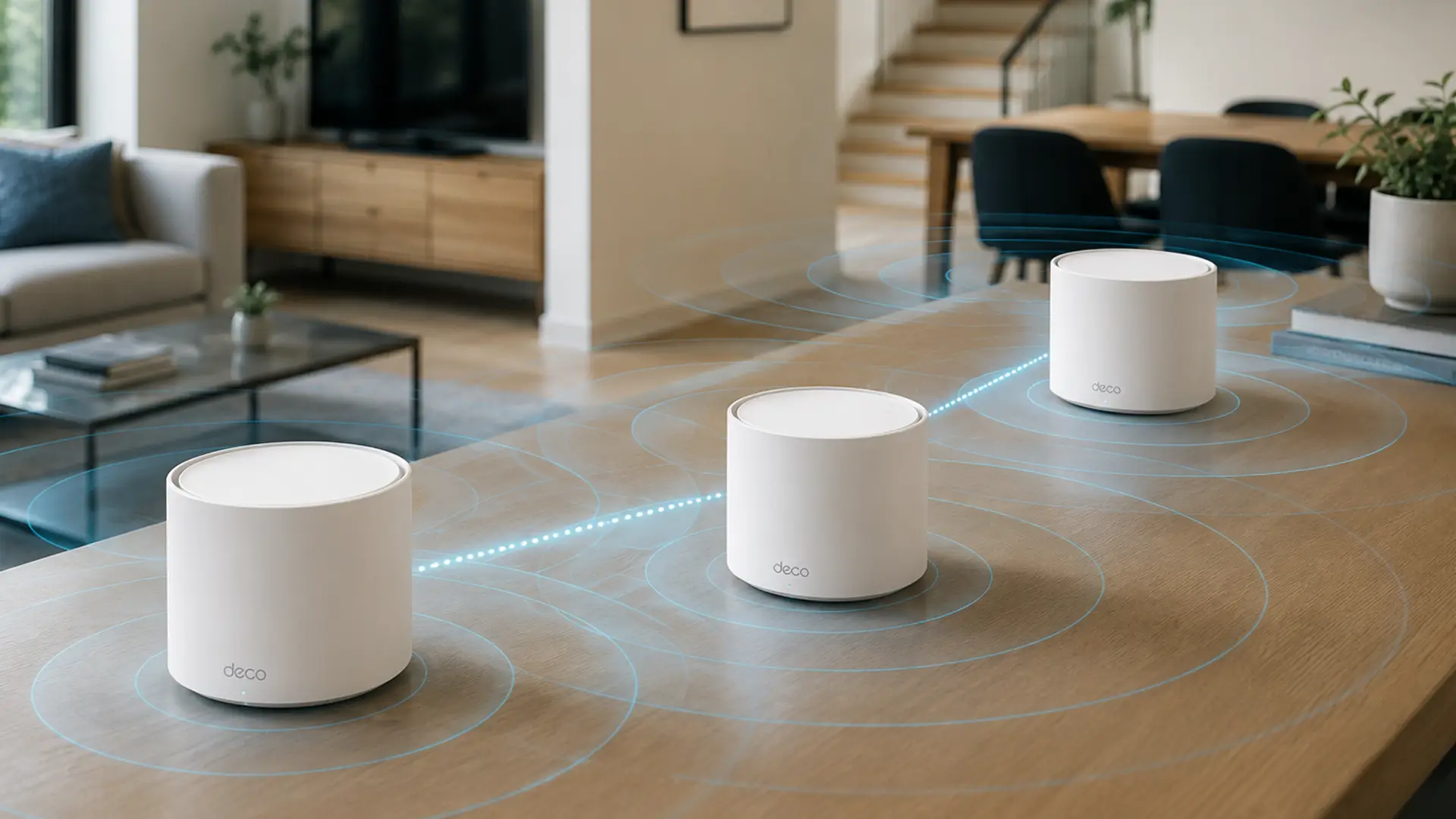
A mesh WiFi system consists of a main router and one or more additional nodes placed around your home.
Rather than stretching a signal from a single location, mesh systems create a network of nodes that work together to provide more consistent coverage.
As you move around the house, your phone, laptop and other devices automatically connect to the strongest available signal.
In short, the Wi-Fi follows you. Not the other way around.
Mesh WiFi vs Traditional Routers
A traditional router broadcasts Wi-Fi from a single point.
That's fine if you live in a smaller home or flat.
But add a few walls, another floor and a house full of connected devices, and the signal can start running out of steam.
Mesh Wi-Fi takes a different approach, bringing stronger coverage to the places your router struggles to reach.
- A single router vs multiple nodes - Traditional Wi-Fi relies on one router, while Mesh Wi-Fi uses several nodes placed around your home to spread coverage.
- Fewer dead spots - Standard routers can leave weak signal areas, especially upstairs or at the far end of the house. Mesh systems are designed to keep those dead zones to a minimum.
- Better for larger homes - If you've got multiple floors, thick walls or a bigger property, Mesh Wi-Fi provides much more consistent coverage than a standalone router.
- Whole-home coverage - Rather than relying on Wi-Fi extenders, Mesh systems are built to blanket your home with a strong, reliable signal.
- One seamless network - Your devices automatically connect to the strongest node as you move around, so there's no need to manually switch between different Wi-Fi networks.
What’s the Difference Between Mesh WiFi and WiFi Extenders?
WiFi extenders can boost your signal, but they often create a separate network in the process.
That can mean:
- Devices sticking to weaker signals
- Slower speeds in some parts of the house
- Interruptions as you move between rooms
- Manually switching networks to stay connected
Mesh WiFi keeps things simple.
Every node works together as part of a single network, so your devices automatically connect to the strongest signal available.
One network. One connection.
Is Mesh WiFi Faster?
Mesh WiFi can improve speeds but the biggest benefit is consistency.
If your current router delivers fast internet near the router but painfully slow speeds elsewhere, mesh WiFi helps spread that performance more evenly across your home.
Expect:
- Better 4K streaming
- More stable video calls
- Faster downloads upstairs
- Smoother online gaming
- More reliable smart home devices
Mesh WiFi won't automatically increase the speed of your broadband package.
What it will do is help you enjoy the speeds you’re already supposed to be getting.
Do You Need Mesh WiFi?
You probably don’t need mesh WiFi if:
- You live in a small flat
- Your current WiFi already works perfectly everywhere
- You only use a handful of devices
But mesh WiFi is often worth it if:
- You have dead zones or weak signal
- Your WiFi struggles upstairs
- Your internet drops during video calls
- Multiple people stream or game at once
- You work from home
- You’ve got smart TVs, cameras, speakers, and smart devices everywhere
- Your home is larger than around 1,500 square feet
Your router’s putting in an unbelievable shift for a little blinking box.
Benefits of Mesh WiFi
Whole-Home Coverage
The biggest advantage is consistent coverage throughout your home.
No more holding your laptop at weird angles trying to summon one extra bar of WiFi.
Seamless Roaming
You can move from room to room without your connection dropping.
Perfect for video calls, streaming music, or doomscrolling uninterrupted.
Better Performance for Multiple Devices
Homes are getting smarter. And busier.
Phones, tablets, TVs, games consoles, cameras and laptops all want a piece of your WiFi. Add smart thermostats, video doorbells and a host of other connected gadgets, and things can get crowded quickly.
Even the air fryer wants in.
That's exactly the sort of environment mesh WiFi is designed for.
Easy Setup and Management
Most mesh WiFi systems come with an easy-to-use smartphone app, giving you more control over your network.
You can:
- Set up guest networks
- Run speed tests
- Pause internet access
- Prioritise devices
- Manage parental controls
- See what's connected
All from the palm of your hand.
Cleaner, Smarter Design
Most modern mesh nodes are small, minimal, and designed to blend in with most interiors.
Which is a welcome change from giant blinking router spiders.
Are There Any Downsides to Mesh WiFi?
Mesh WiFi isn’t perfect for everyone.
A few things to consider:
It Costs More
Mesh systems are usually more expensive than standard routers.
But for many households, the improved coverage and reliability are worth it.
Speeds Can Vary Between Nodes
Wireless mesh systems communicate between nodes, which can sometimes reduce speeds slightly compared to a direct wired connection.
Higher-end mesh systems minimise this issue using dedicated wireless backhaul channels.
Placement Matters
Mesh nodes still need sensible positioning.
If you hide one behind a giant metal TV stand in the farthest corner of the house, physics will continue being physics.
How Many Mesh WiFi Nodes Do You Need?
It depends on the size and layout of your home.
As a rough guide:
- Small flat or apartment - 1–2 nodes are usually enough to provide strong, reliable coverage throughout the space.
- Medium-sized home - 2–3 nodes help eliminate weak spots and keep your connection consistent from room to room.
- Large or multi-floor home - 3 or more nodes are often the best choice for seamless coverage across every floor, helping you stay connected wherever you are.
Many mesh WiFi systems let you add extra nodes later if needed. So you can scale coverage as your setup grows.
Can Mesh WiFi Replace Your Router?
Usually, yes. Most mesh systems work as your main router.
You connect the primary node to your modem or fibre connection, and the rest of the network builds around it.
Some broadband providers also offer mesh WiFi add-ons alongside their routers.
Is Mesh WiFi Good for Gaming?
Yes, especially if you game away from your main router.
Mesh WiFi can help reduce:
- Lag caused by weak signal
- Connection dropouts
- Speed inconsistency across rooms
For competitive gaming, wired Ethernet is still king.
But a strong mesh setup is usually far better than struggling with weak WiFi signal from the other side of the house.
Is Mesh WiFi Good for Working From Home?
It's one of the best upgrades you can make.
Reliable home WiFi matters more than ever when your living room doubles as your office.
Mesh WiFi can improve:
- Video call stability
- VPN reliability
- Upload speeds
- Cloud syncing
- Multi-device performance
It also helps stop your internet collapsing the second someone starts streaming downstairs.
It's a busy life for a broadband connection.
What Should You Look For in a Mesh WiFi System?
If you’re buying a mesh system, look out for:
WiFi 6 or WiFi 6E
These newer standards offer:
- Better speed
- Improved efficiency
- Lower congestion
- Better performance with many connected devices
Tri-Band Support
Tri-band systems often perform better because they use a dedicated connection between mesh nodes.
Strong App Support
A dedicated app makes setup and network management dramatically easier.
Ethernet Ports
Useful for gaming consoles, TVs, or home office equipment.
Security Features
Look for:
- Automatic updates
- WPA3 encryption
- Guest networks
- Parental controls
Final Thoughts
Mesh WiFi is one of the easiest ways to improve home internet coverage without turning your house into a maze of extenders and passwords.
Instead of relying on a single router, it creates a unified network designed to keep devices connected wherever they are.
While we've spent years adapting to our WiFi, working in certain rooms, avoiding others and learning where the signal disappears, Mesh WiFi flips that around.
Your network adapts to your home instead.
Frequently Asked Questions
Is Mesh WiFi Worth it?
If your WiFi only seems to work in the same room as your router, then yes.
Mesh WiFi helps bring strong, reliable coverage to more of your home, so you're not constantly chasing a better signal.
And once you've got reliable WiFi in every room, it's hard to go back.
Does Mesh WiFi Slow Internet Speed?
Not usually.
In many homes, mesh WiFi actually improves speeds by giving devices a stronger connection throughout the property.
Can Mesh WiFi Work With Any Internet Provider?
Most mesh WiFi systems work with nearly all major broadband providers.
Does Mesh WiFi Work Through Walls?
Yes, but thick walls and certain materials can still weaken signal.
Mesh systems help by placing nodes closer to problem areas.
Can You Mix Different Mesh Brands?
Not usually. Most mesh systems work best when all nodes are from the same manufacturer and ecosystem.
