
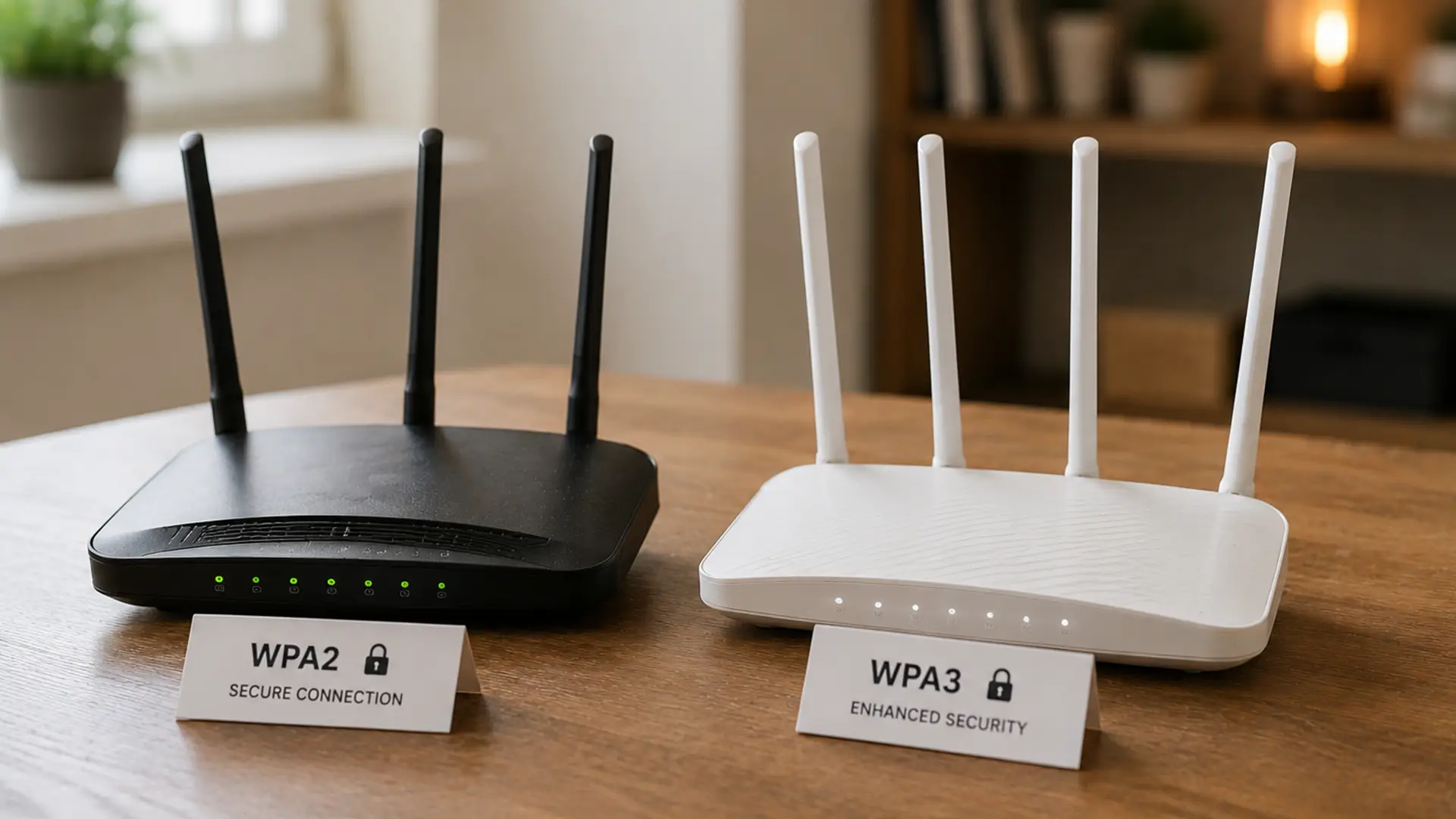
If you've ever poked around your router settings, you've likely ran into riveting terms such as WPA2 and WPA3.
These are the security protocols protecting your home WiFi network from unwanted guests, data thieves and other online troublemakers.
WPA3 is the newer standard, but is newer always better?
Short answer: yes.
Long answer: let's get into it.
What is WPA?
WPA stands for Wi-Fi Protected Access.
It's the security system used by your router to scramble data as it travels across your WiFi network, so it stays private and out of the wrong hands.
If your Wi-Fi was a house, WPA is the lock on your front door. The stronger that lock is, the harder it is for someone to break in.
Over the years, Wi-Fi security standards have evolved:
- WEP: Outdated and easily compromised
- WPA: An improvement, but now showing its age
- WPA2: The long-standing security standard for home WiFi
- WPA3: The newest and most secure option available today
Most modern routers use either WPA2 or WPA3 or a mix of the two.
WPA2 vs WPA3 at a Glance
- Release year: WPA2 has been the trusted Wi-Fi security standard since 2004, while WPA3 arrived in 2018 with a stronger, more modern approach to protecting wireless networks.
- Overall security: Both offer solid protection, but WPA3 raises the bar with enhanced security features designed to tackle today's cyber threats.
- Password protection: WPA3 does a much better job of defending your network, especially if your Wi-Fi password isn't as strong as it could be.
- Protection against brute-force attacks: Unlike WPA2, WPA3 is specifically designed to make repeated password-guessing attacks far less effective.
- Encryption: WPA2 relies on proven AES-CCMP encryption, while WPA3 introduces more advanced encryption methods to keep your data even more secure.
- Public Wi-Fi security: Connecting to public Wi-Fi is safer with WPA3, thanks to improved encryption that helps protect your data even on open networks.
- Device compatibility: WPA2 is supported by almost every Wi-Fi device, whereas WPA3 is becoming increasingly common as newer routers, smartphones and laptops are released.
What Makes WPA3 More Secure?
WPA2 has been keeping Wi-Fi networks secure for nearly 20 years. Not a bad run. But cyber threats have moved on.
Enter WPA3: a newer standard with stronger security built in.
Better Protection Against Password Guessing
One of WPA2's greatest weaknesses is that attackers can repeatedly attempt to guess your Wi-Fi password offline if they capture certain network data.
WPA3 introduces a process called Simultaneous Authentication of Equals (SAE).
What this does is replace WPA2’s pre-shared key (PSK) method with a more sophisticated password-based authentication protocol.
In short, SAE makes large-scale password guessing attacks far more difficult.
Even if your password isn't quite as strong as it should be, WPA3 offers an extra layer of protection.
Stronger Encryption
WPA3 uses stronger cryptographic protections to secure data moving across your network.
For most households, this means:
- Better privacy
- Better security
- More protection for connected devices
And in a world where everything from laptops to doorbells connects to Wi-Fi, that's ruddy good news.
Safer Public Wi-Fi Connections
Public Wi-Fi can be a bit of a wild west.
WPA3 includes security improvements that help encrypt connections on open networks.
This makes it much harder for other people on the same Wi-Fi network to see or intercept your online activity.
So if you regularly answer emails over a flat white at your local café, browse while waiting at the airport, or connect to hotel Wi-Fi when travelling, WPA3 adds an extra layer of protection between your data and prying eyes.
Is WPA2 Still Safe?
For the most part.
When configured correctly with:
- A strong password
- Modern router firmware
- WPA2-AES encryption enabled
WPA2 still has plenty left in the tank. WPA3 just arrived with some shiny new upgrades and a few clever ways to keep cyber criminals at arm's length.
Should You Switch to WPA3?
If your router and devices support WPA3, we’d say go for it.
You'll get:
- Stronger security
- Better protection against password-cracking attempts
- More future-ready Wi-Fi security
- Extra privacy when using public networks
That said, WPA3 isn't everywhere just yet.
Some older laptops, smart TVs, printers and smart home gadgets still only support WPA2. If that's the case, don't panic. WPA2 is still a perfectly secure option and continues to do the job for most people.
Many modern routers also support a mixed WPA2/WPA3 mode, giving newer devices the benefits of WPA3 while older ones stay connected without fuss.
Clever stuff.
What is WPA2/WPA3 Mixed Mode?
WPA2/WPA3 Mixed Mode is the Wi-Fi equivalent of speaking two languages.
Your router can support newer WPA3 devices and older WPA2 devices at the same time.
That means stronger security where it's available, without breaking compatibility for older gadgets.
We'll take that.
How to Check Which Security Standard You're Using
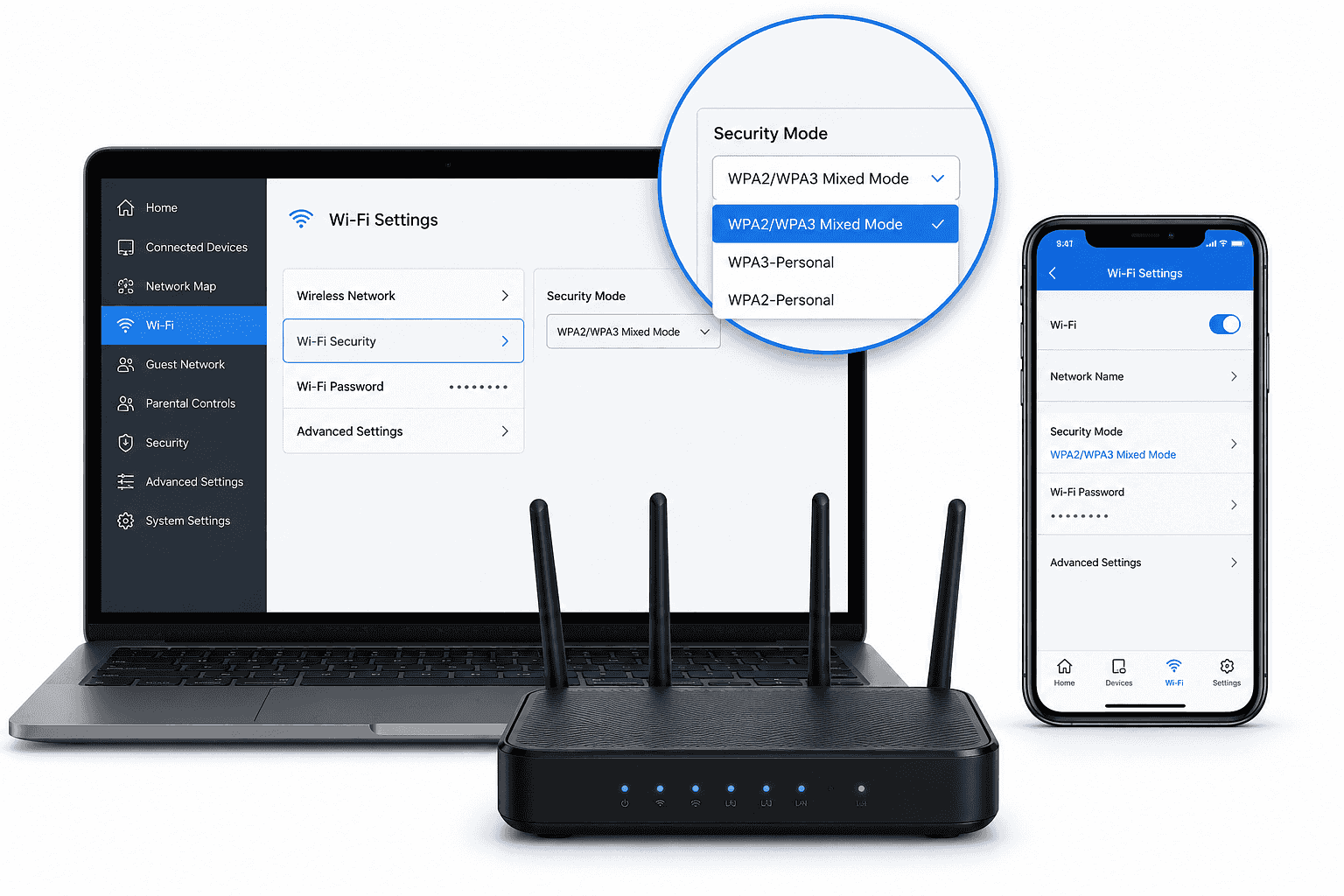
Most routers let you check this through their settings page or companion app.
Look for:
- Wireless Settings
- Wi-Fi Security
- Security Mode
You may see options such as:
- WPA2-Personal
- WPA3-Personal
- WPA2/WPA3 Mixed Mode
If WPA3 is available, it's usually worth enabling.
Just make sure all your devices still connect afterwards.
Does WPA3 Make Your Broadband Faster?
Nope.
WPA3 improves security, not speed.
Your broadband speed is determined by factors like:
- Your broadband package
- Router performance
- Network congestion
- Wi-Fi signal strength
What WPA3 does provide is peace of mind that your network is better protected while you're streaming, gaming and WFHing.
WPA2 vs WPA3: Which Should You Choose?
For most people, the answer is simple.
Choose WPA3 Whenever Your Router and Devices Support It
It offers stronger protection, improved encryption and better defence against modern cyber threats.
If some of your devices are knocking on a bit, WPA2/WPA3 Mixed Mode is usually the sweet spot.
You get the latest security where possible without creating compatibility headaches.
And that's exactly how Wi-Fi security should be.
No device left behind!
Final Thoughts
Wi-Fi security has come a loooong way.
While WPA2 has served households well for years, WPA3 raises the bar with stronger protection and even smarter security features.
If your hardware supports it, switching to WPA3 is one of the easiest ways to make your home network more secure.
All the protection with none of the palaver.
Frequently Asked Questions
Is WPA3 Mandatory on New Routers?
Many newer routers support WPA3 as standard, although some still offer WPA2 compatibility modes for older devices.
Can Older Devices Connect to WPA3 Networks?
Not always. Some older devices only support WPA2, which is why mixed mode exists.
Is WPA2 Being Phased Out?
Not officially. WPA2 is still widely used, but WPA3 is increasingly becoming the recommended standard.
How Do I Know if My Router Supports WPA3?
Check your router's specifications, manufacturer website or security settings menu. If WPA3 is available, you'll usually see it listed as a selectable security mode.
